
Tracknow’s Payout Automation tool enables you to build dynamic, tiered commission structures that automatically adjust based on affiliate performance. Tiers can be configured to reset automatically at regular intervals, such as monthly, or to remain fixed, ensuring that once an affiliate advances to a higher tier, they retain it permanently.
Creating the tiers
First, you’ll need to create each tier as payout.
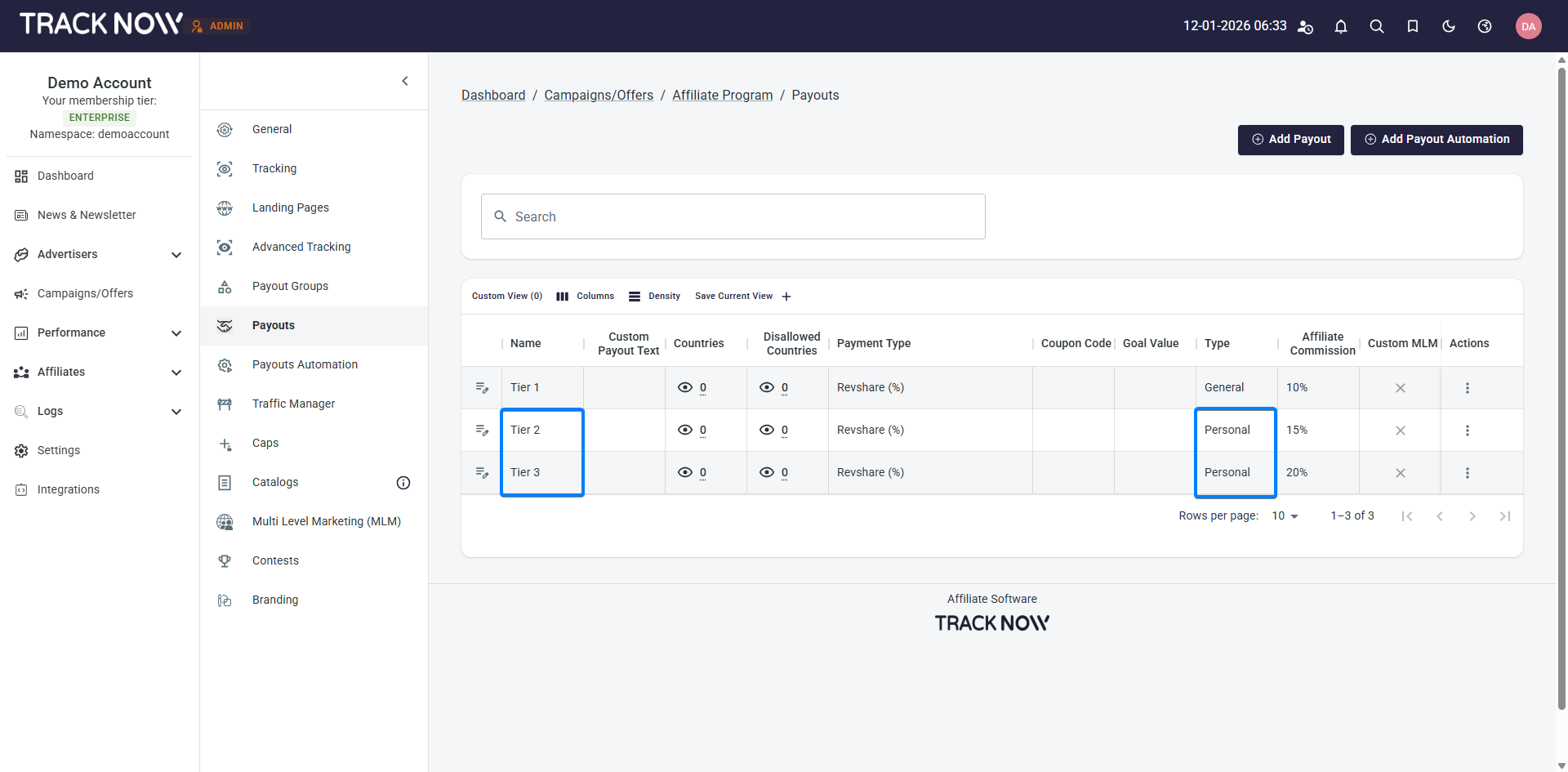
Navigate to the Payout settings under the relevant campaign and create a payout for each tier according to the commission structure you desire.
Make sure that for the payouts that are not the default one, you select the payout type to be Personal Payout as you don’t want the higher payouts to be visible to affiliates until they actually reach that tier.
Setting up the tier automation
After defining your tiers, you can set up payout automation to automatically assign affiliates to the appropriate tier based on the performance metric you’ve selected. This is done directly from the Payout Automation section of the campaign.
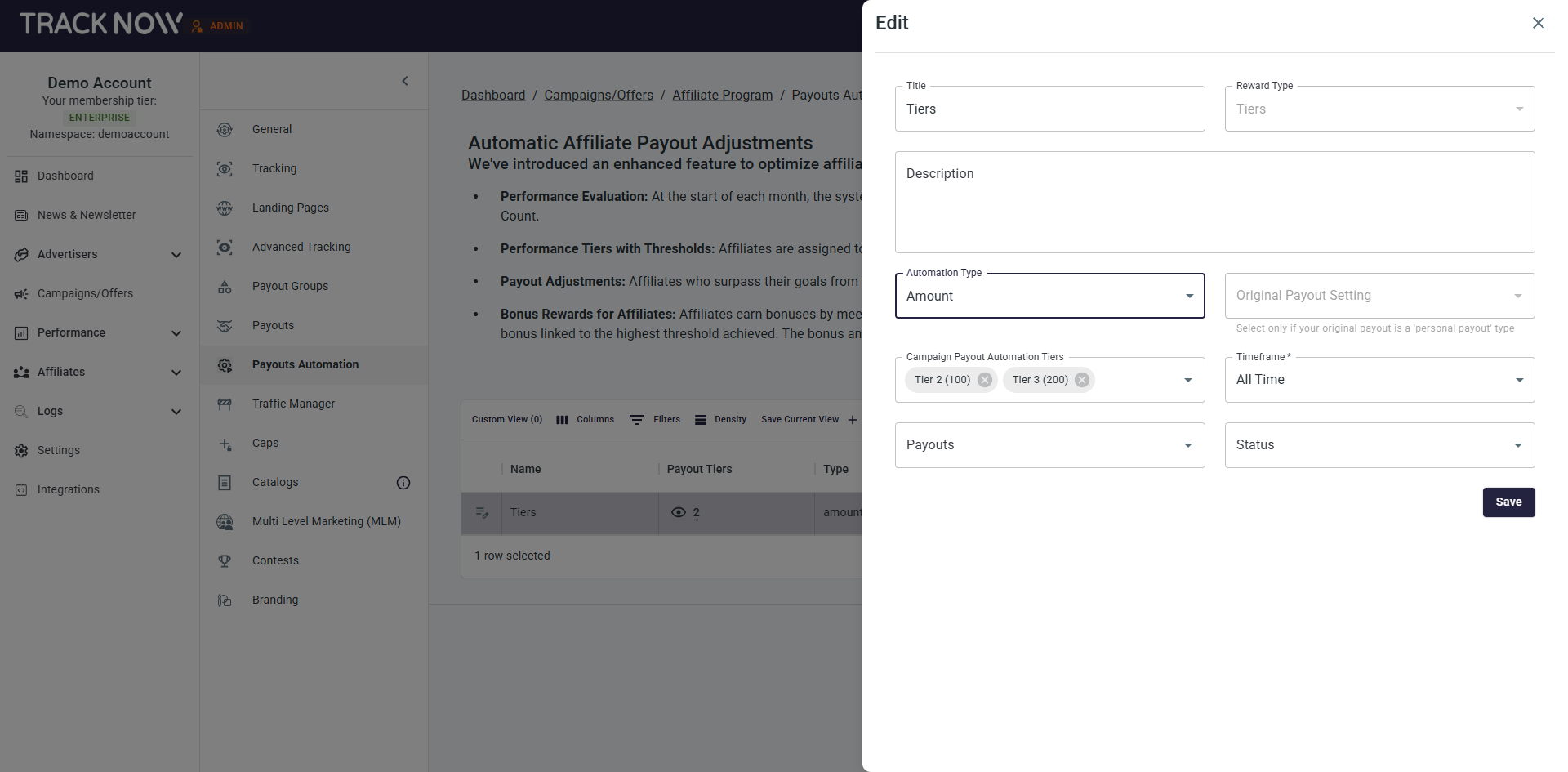
- Title – Give your automation a title that briefly describes what it’s for (The title is visible to affiliates)
- Reward Type – Select whether the automation is for tiers or a bonus.
- Description (Optional) – Add a short description about the automation (Visible to affiliates)
- Automation Type – Select the performance metric that will be measured in order to advance affiliates between tiers.
Amount – Measures the Amount property of conversions generated by the affiliate
Conversions – Measures the count of conversions generated by the affiliate
Volume – Measures the volume property of transactions (Financial Solution) made by clients referred by the affiliate
FTD – Measures the count of first time deposits made by clients referred by the affiliate
Commission – Measures the amount of commissions generated by the affiliate
Lifetime Connections – Measures the amount of clients associated with the affiliate via the Tracknow Lifetime tool - Original Payout Setting – Select the initial payout (Tier 1) from which affiliates will advance. If Tier 1 is configured as a General Payout, leave this field blank. If it is set as a Personal Payout, select it here.
- Campaign Payout Automation Tiers – Set performance thresholds by selecting each tier and configuring the required measured value an affiliate must achieve to move into that tier.
- Timeframe – Selected the time period for measuring and automatic tier reset.
All Time – Measures the affiliate’s selected performance metric for all historical data (tier will not reset, can only advance).
This Month – Affiliate performance is evaluated on a monthly basis using the selected metric. Affiliates may move up tiers during the month, but their tier will reset to the initial tier at the beginning of the next month.
Last Month – At the start of each month, the affiliate’s tier is automatically determined based on their performance in the previous month. The affiliate then remains in that tier for the entire month.
This Year – Affiliate performance is evaluated on a yearly basis using the selected metric. Affiliates may move up tiers during the year, but their tier will reset to the initial tier at the beginning of the next year.
Last Year – At the start of each year, the affiliate’s tier is automatically determined based on their performance in the previous year. The affiliate then remains in that tier for the entire year. - Payouts – Select the specific payouts that should participate in this automation in case you have more that one automation planned.
- Status – Select the conversion status to ensure that only conversions with the chosen statuses are included in the measurement. Leave this field blank to count conversions across all statuses.
Example
In the example below, we’ll demonstrate how to create the following tier structure:
- Four tiers structure for sales
- Tier 1 – 5% commission, Tier 2 – 7% commission, Tier 3 – 9% commission, Tier 4 – 12% Commission
- The affiliate will advance tiers based on the count of sales he generates
- Tier 1 (0-4 Sales), Tier 2 (5-9 Sales), Tier 3 (10-14 Sales), Tier 4 (15+ Sales)
- Once the affiliate advances a tier, he will not move back, he can only advance more
- Only approved conversions will be counted
First, we create these tiers as payouts:
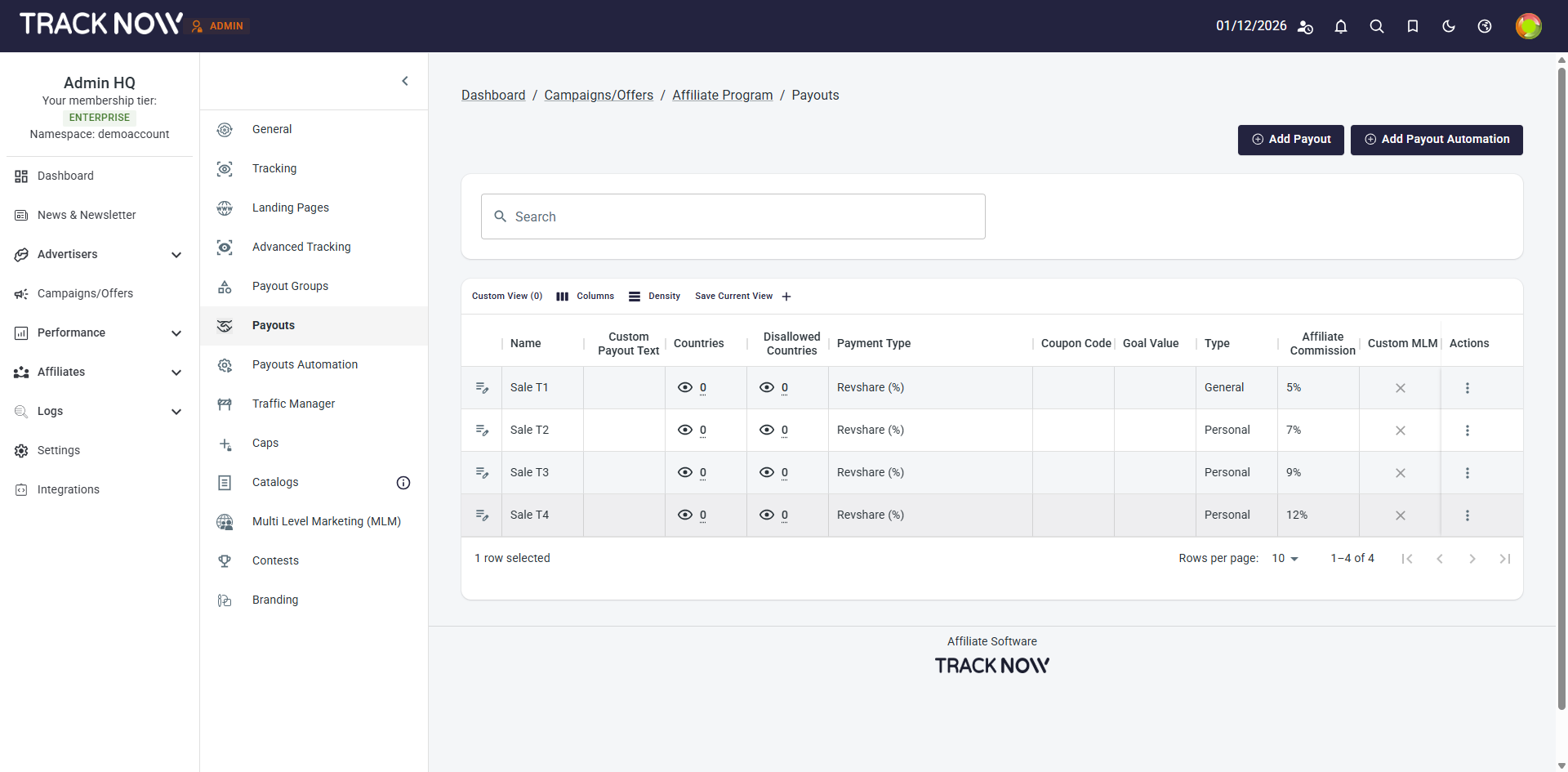
Note that Tiers 2 through 4 are configured as Personal Payouts, while Tier 1 is set as a General Payout. This is because all affiliates begin at Tier 1, making it universally available. Higher tiers are configured as personal payouts and remain hidden from affiliates until they advance to the relevant tier.
Next, we configure the automation part:
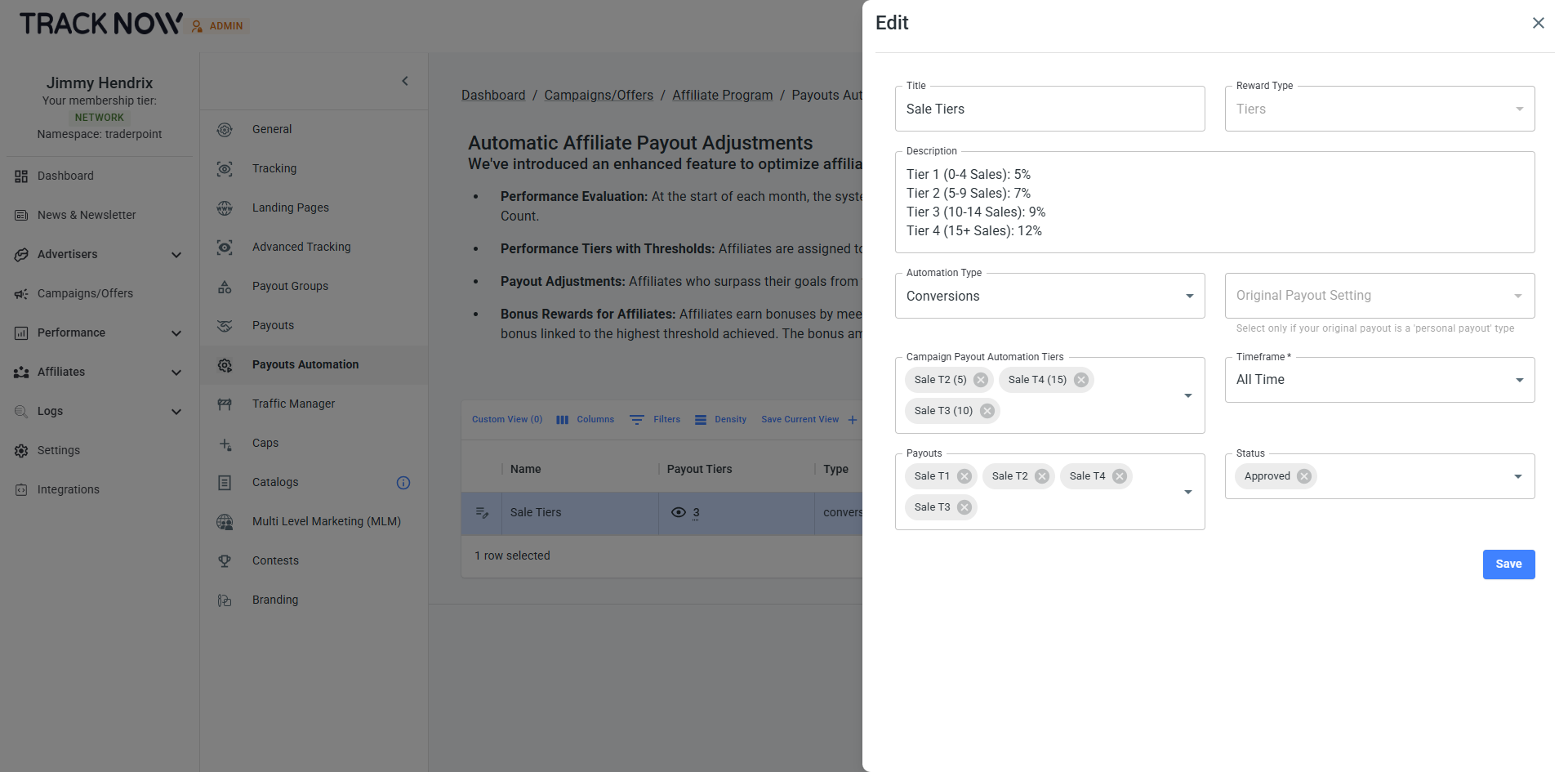
The Automation Type is set to Conversions, as the tier progression is based on sale count, with each sale recorded as a conversion.
The Original Payout Setting field is left empty because Tier 1 is configured as a General Payout.
The Campaign Payout Automation Tiers are defined with the following thresholds:
- Tier 2: 5 conversions
- Tier 3: 10 conversions
- Tier 4: 15 conversions
The Timeframe is set to All Time, ensuring that tiers do not reset and affiliates can only advance to higher tiers over time.
In the Payouts section, all relevant payouts are selected for inclusion in this automation.
In the Status section, only Approved conversions are selected, so only approved sales are counted toward tier progression.
How affiliates see their progression
Creating a Payout Automation automatically adds a widget to the affiliate portal, allowing affiliates to view their current tier and progression toward higher tiers.
