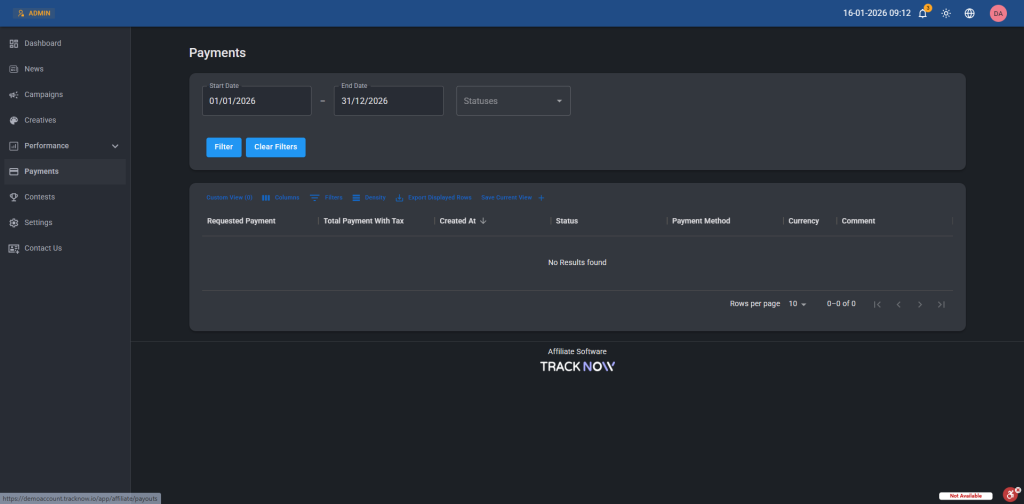
Once affiliates accrue commissions, their earnings can be queued for payout through a payout request. Each request is presented to managers with the necessary details to process it, including the affiliate, the payout amount, the selected payment method, and the current status (e.g., Pending, Paid, Denied).
Tracknow provides several options for how payout requests are handled:
- Affiliate-initiated: Affiliates can submit payout requests manually once they have enough eligible commissions.
- Automatic Generation: Tracknow can automatically generate payout requests on a set schedule (weekly or monthly) for affiliates with available commissions.
- Manager-initiated: Managers can create payout requests manually on behalf of affiliates.
Payout Request Prerequisites
- A payout request can include only approved commissions. Commissions are calculated for every conversion, but since conversions can have multiple statuses, only commissions tied to conversions in the APPROVED status are eligible for payout. You can configure the default conversion status and also update conversion statuses manually. For more details, click here.
- To create a payout request, the affiliate must first select a payment method and complete the required payout details in the affiliate portal.
Affiliate-Initiated Payout Requests
Navigate to Settings > Affiliate Settings > Payment Settings > Select By Affiliate Request > Save
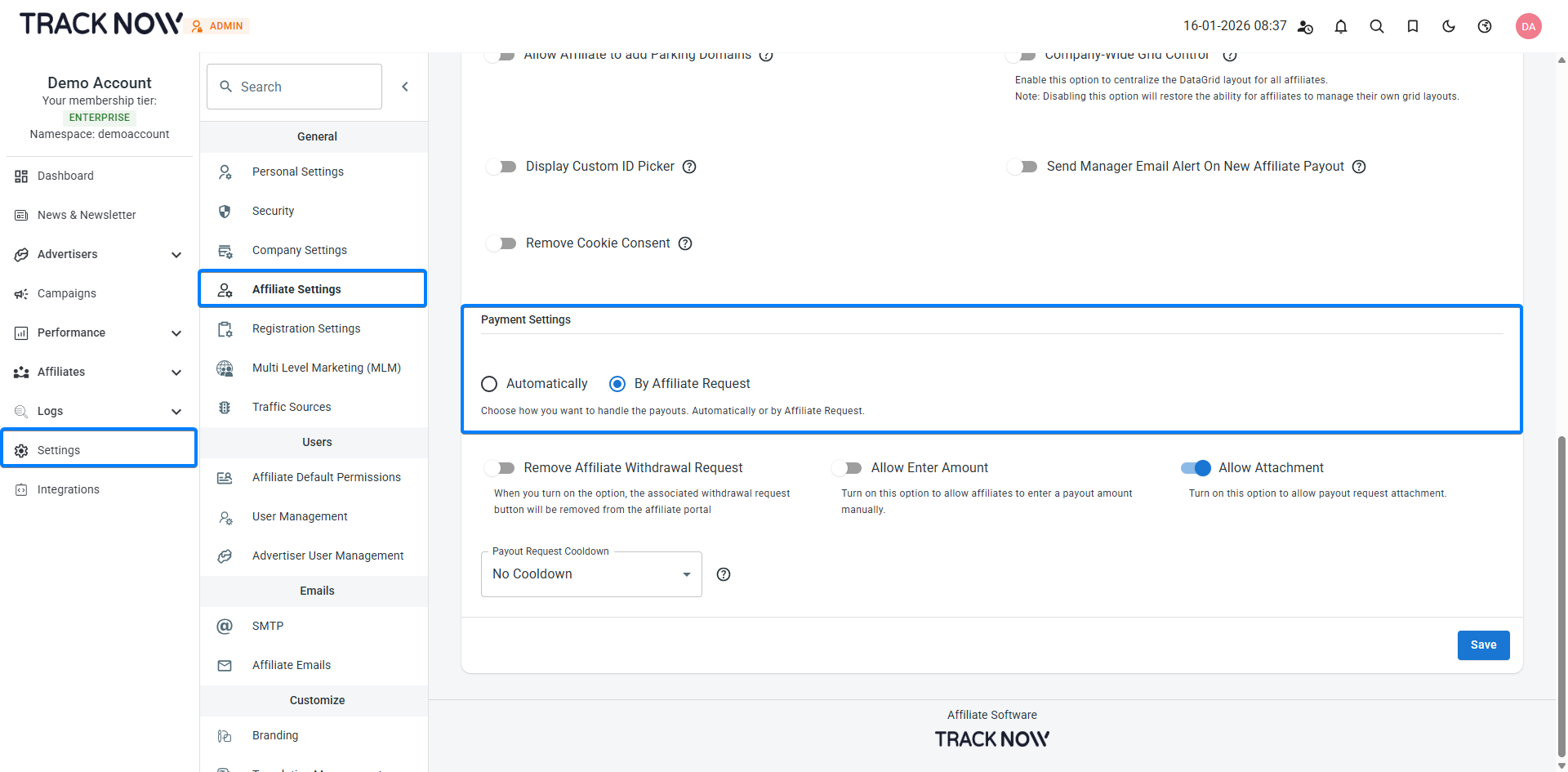
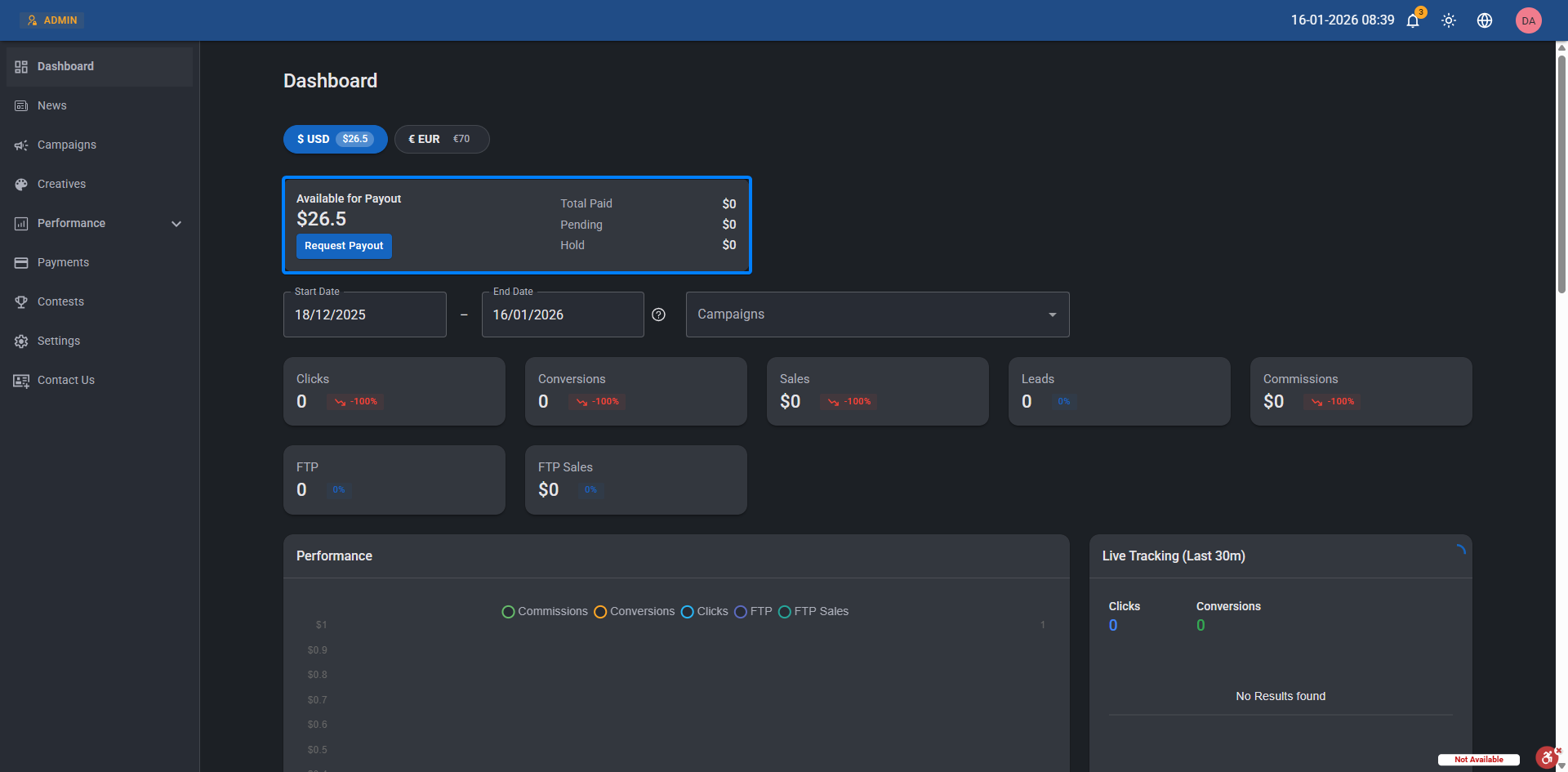
Once manual payouts are enabled, a Request Payout button will appear in the affiliate portal under the Available for Payout widget, allowing affiliates to submit a payout request:
Automatically Generated Payout Requests
Navigate to Settings > Affiliate Settings > Payment Settings > Select Automatically > Choose the relevant time period > Save
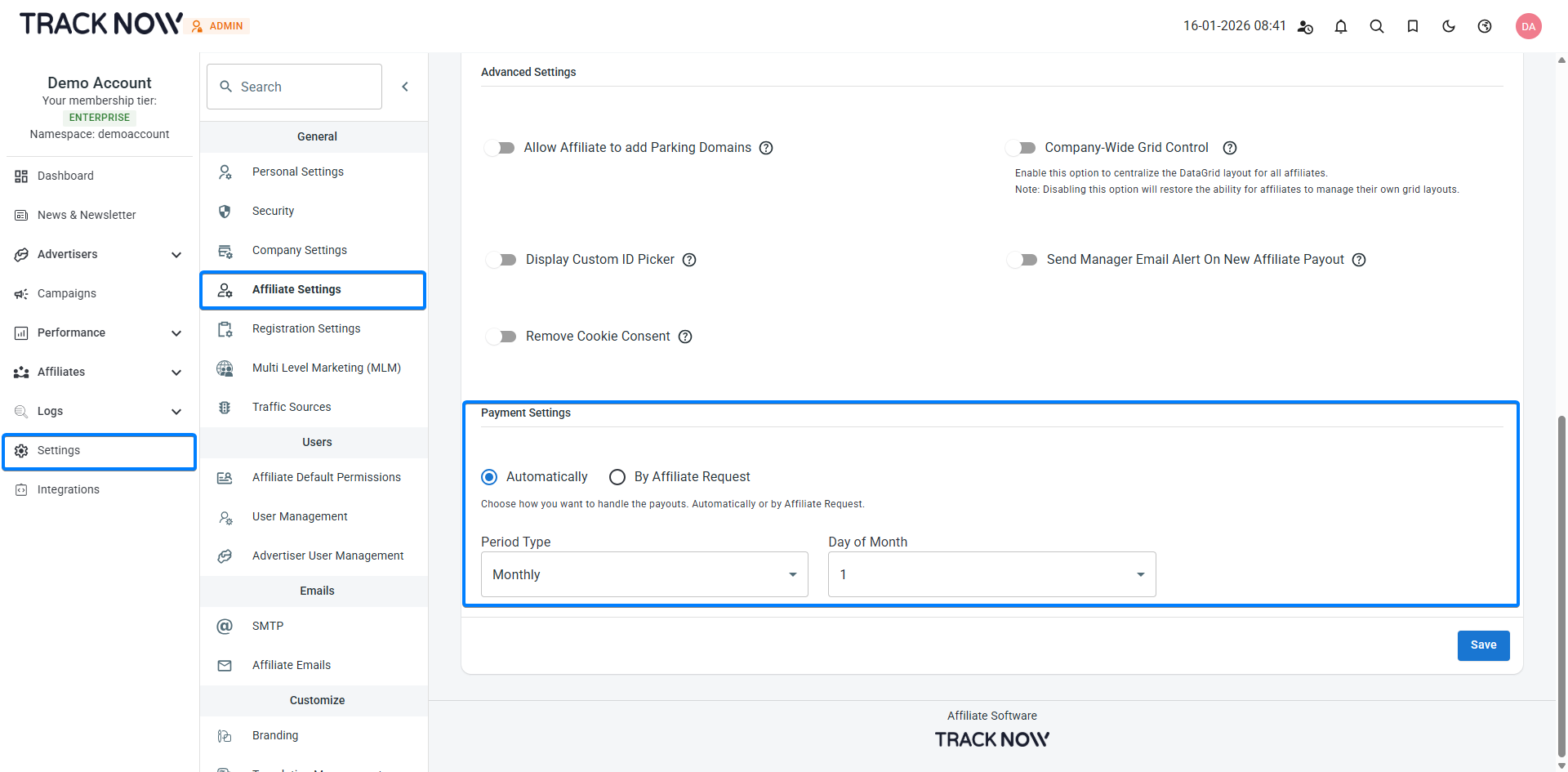
Once automatic payouts are enabled, a request payout will be created for affiliates that have available commissions every cycle according to the time period selected.
Manager-Initiated Payout Requests
Navigate to Settings > Affiliate Settings > Payment Settings > Select By Affiliate Request > Toggle on Remove Affiliate Withdrawal Request > Save
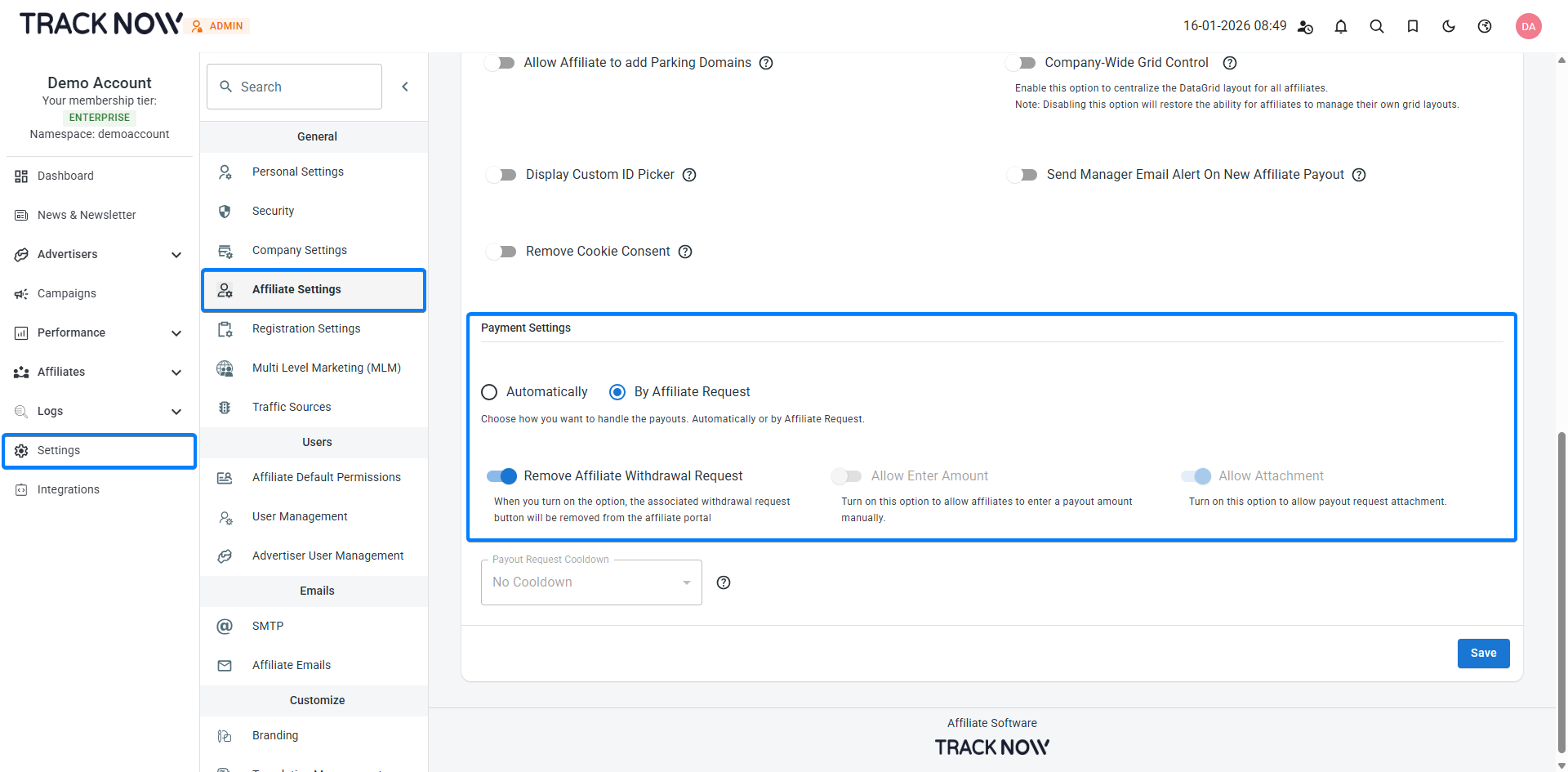
Selecting By Affiliate Request ensures that Tracknow does not generate payout requests automatically. Enabling Remove Affiliate Withdrawal Request prevents affiliates from creating payout requests themselves.
A manager can create a payout request for affiliates in several ways:
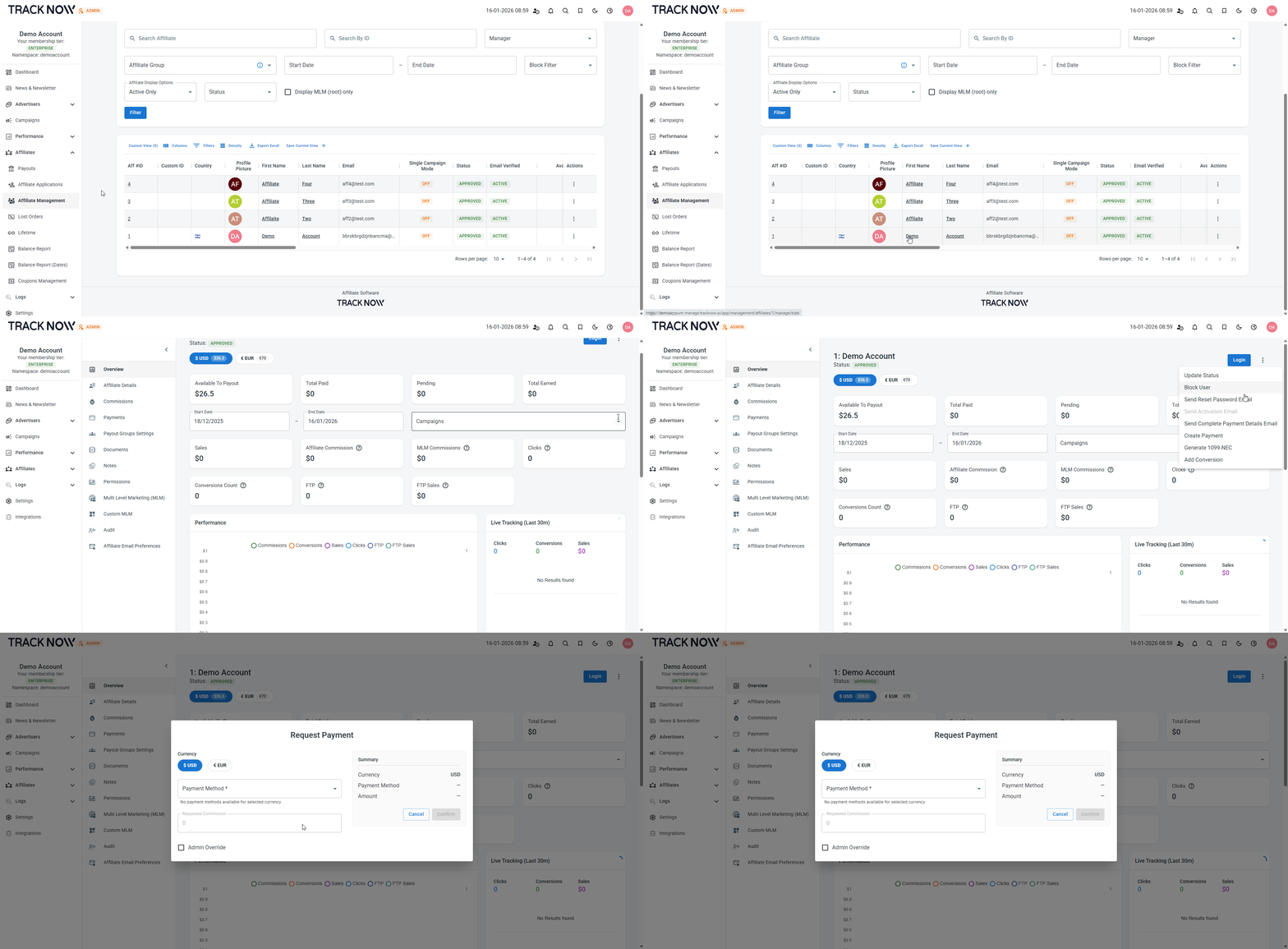
From the affiliate management screen
Navigate to Affiliates > Affiliate Management > Click on the affiliate name to open his manage page > Click the three-dot icon and select Create Payment
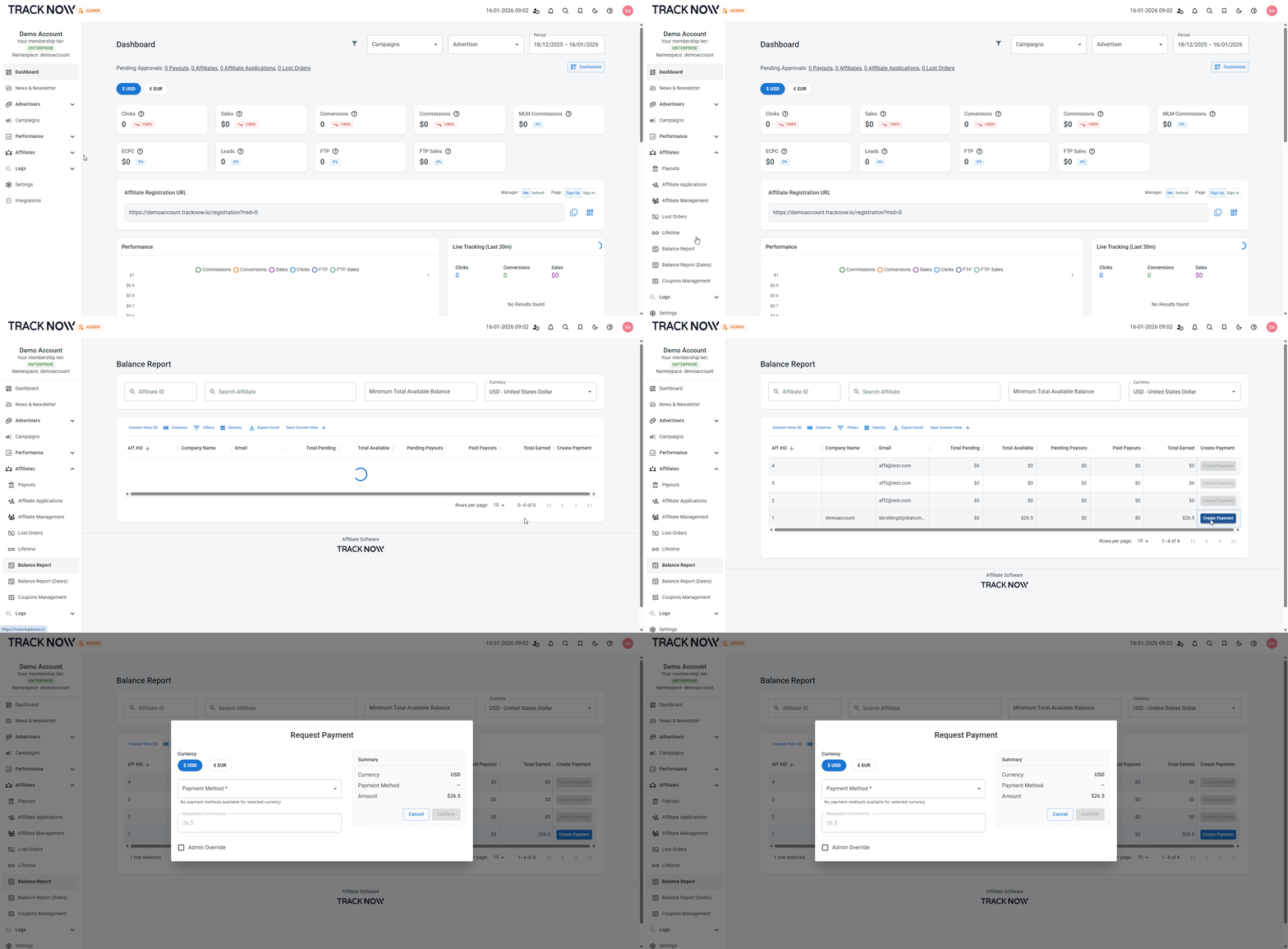
From the balance report screen
Navigate to Affiliates > Balance Report > Create Payment next to the relevant affiliate
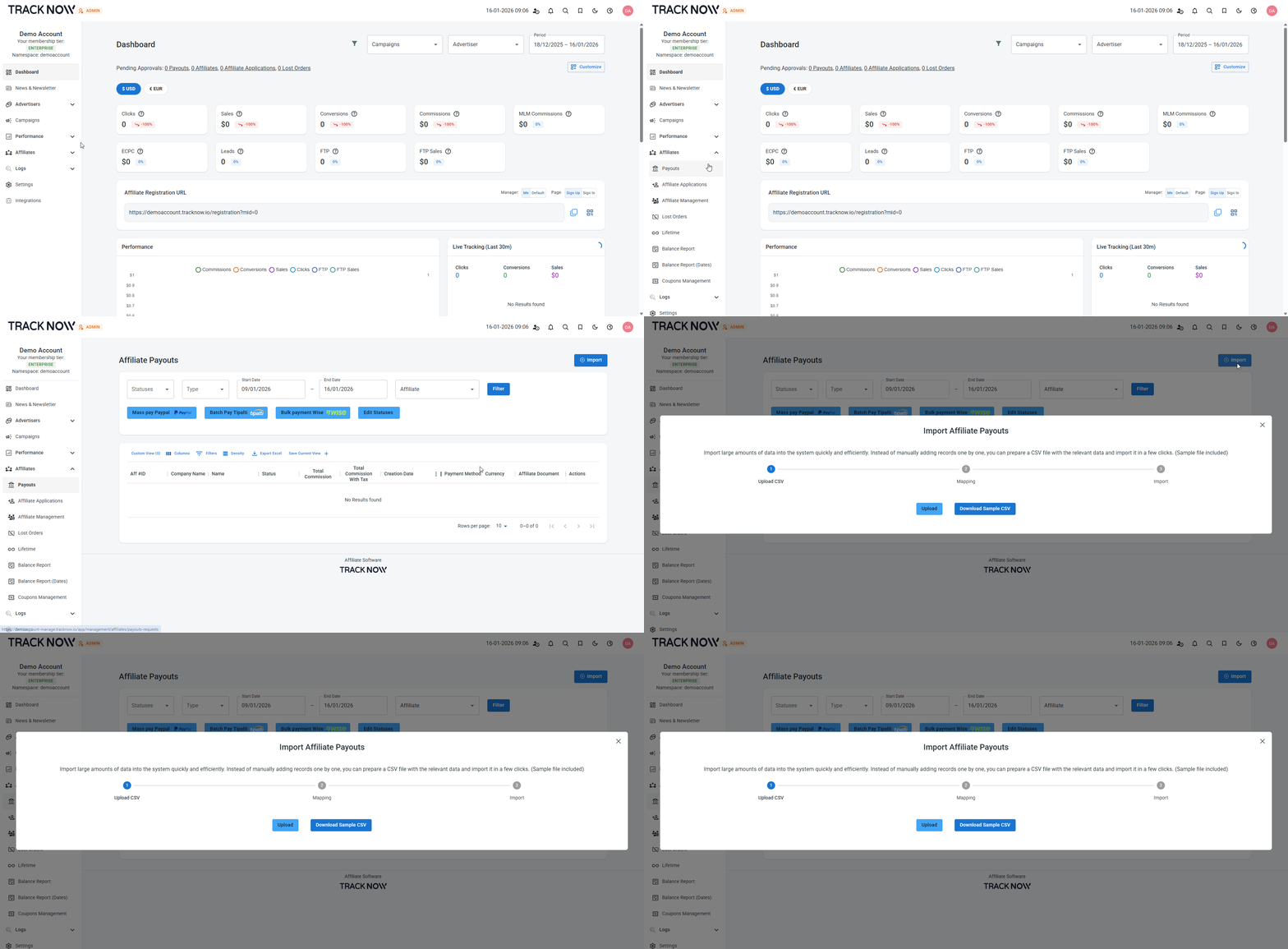
Import payout requests from a CSV file
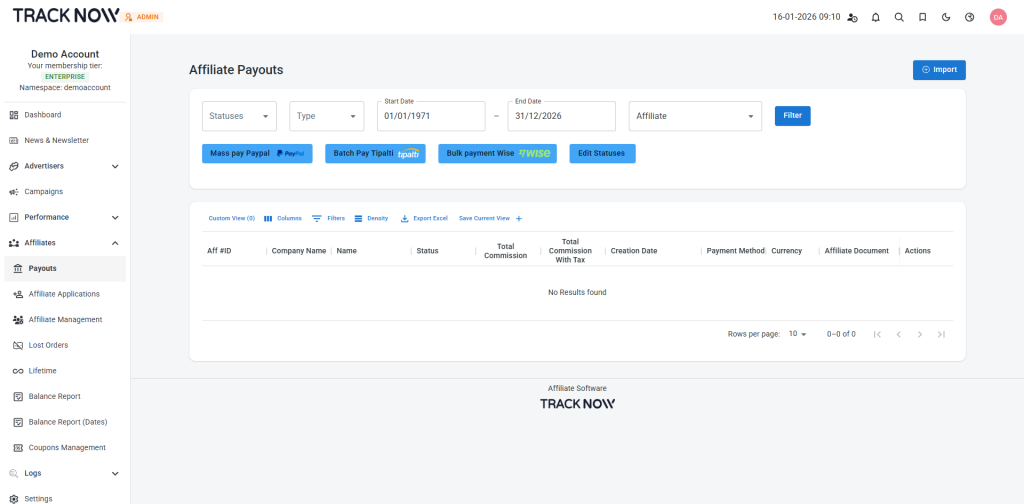
Navigate to Affiliates > Payouts > Import
Where admins see/approve/deny payout requests
Navigate to Affiliates > Payouts > Edit Statuses > Select the relevant payout request and change their status.
When a payout request is approved, the affiliate’s available commissions are updated accordingly: the approved amount is removed from their available balance and moved to Total Paid.
Where affiliates see their payout requests
On the affiliate portal > Payments