
Tracknow integrates with Shopify stores to automatically transmit data for completed purchases into your Tracknow dashboard. This enables accurate tracking and attribution of purchases made by customers referred by your affiliates.
Methods of Integration
There are two supported methods for integrating Tracknow with a Shopify store:
Tracknow Plugin
Tracknow provides a Shopify app that can be installed on a Shopify store to enable purchase tracking
Webhooks
Implement the required scripts and configure Shopify webhooks to enable purchase tracking
| Plugin | Webhooks |
|---|---|
| Simple installation process | More manual and technical implementation |
| Higher chance of missing some purchases due to Shopify privacy limitations | Lower chance of missing some purchases due to Shopify privacy limitations |
| More control over what purchases will be tracked | All purchases are tracked (filtration is handled on Tracknow side) |
| Only relevant purchase details are sent to Tracknow | The entire order payload is sent to Tracknow |
Plugin Integration
Login to the Shopify admin dashboard → Settings → Apps → Shopify App Store → Search for the Tracknow Integration app → Install the app
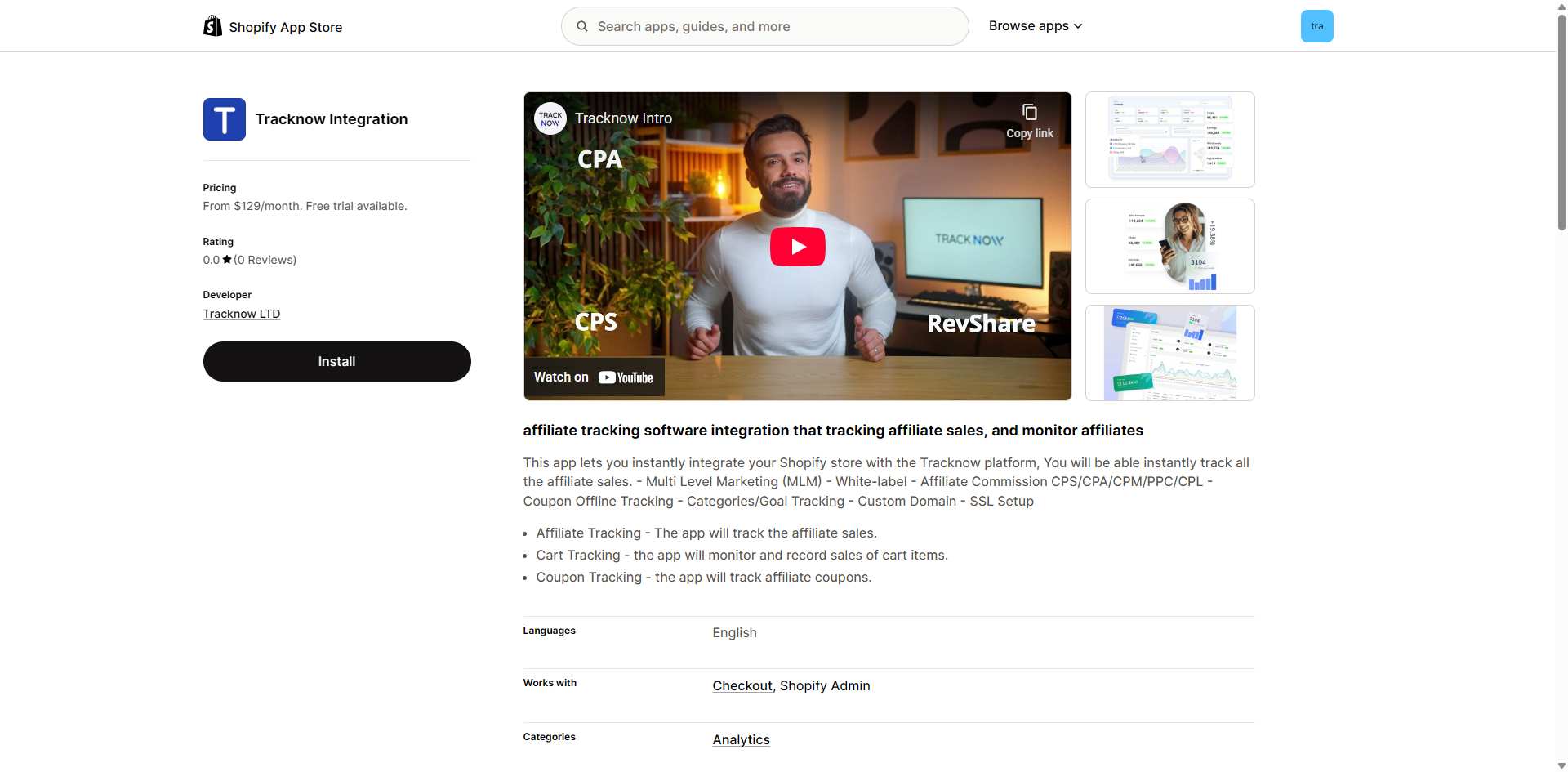
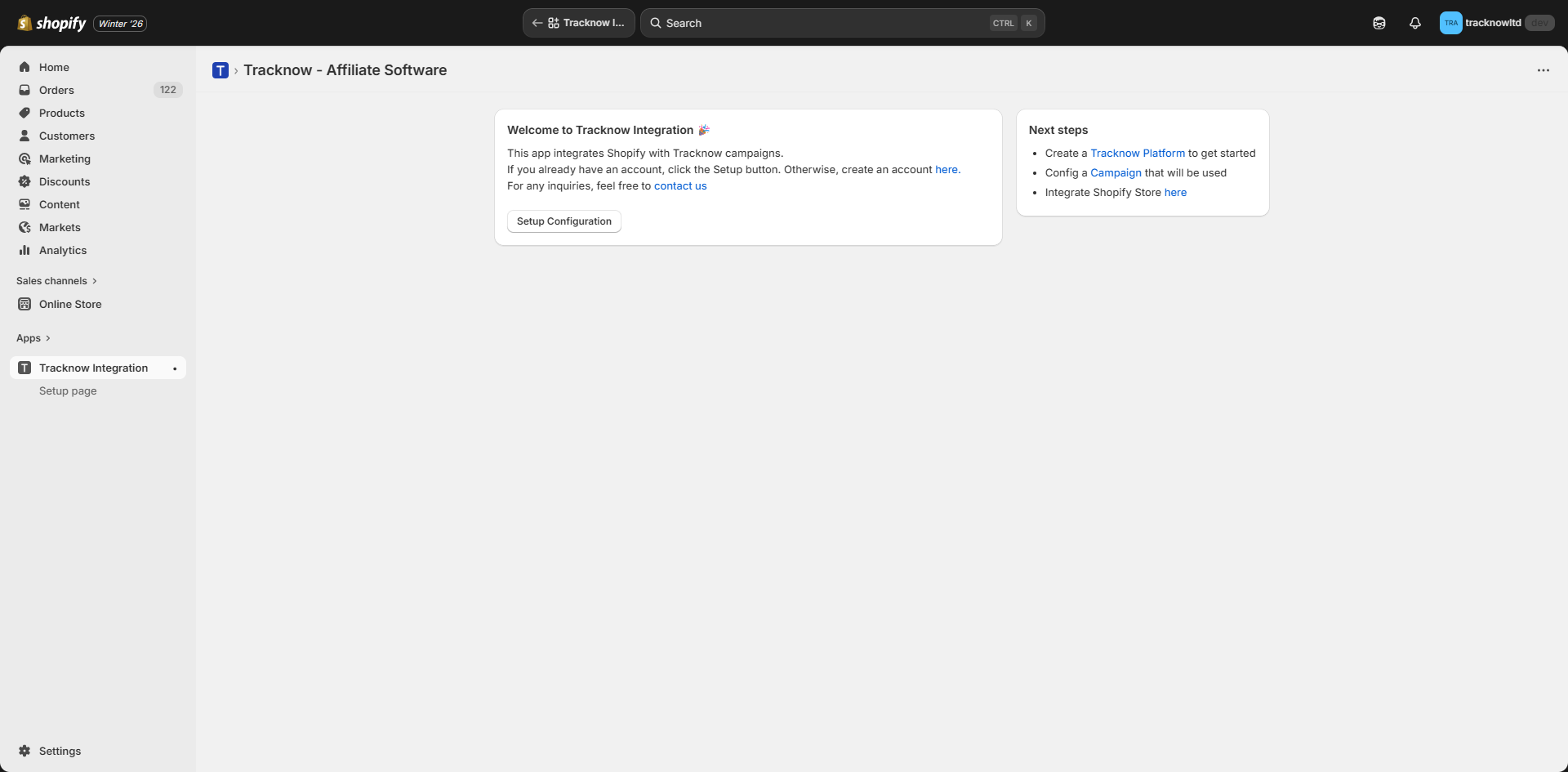
Navigate back to the Shopify dashboard → Open the Tracknow Integration app → Setup Configuration
Fill out the configuration form → Update
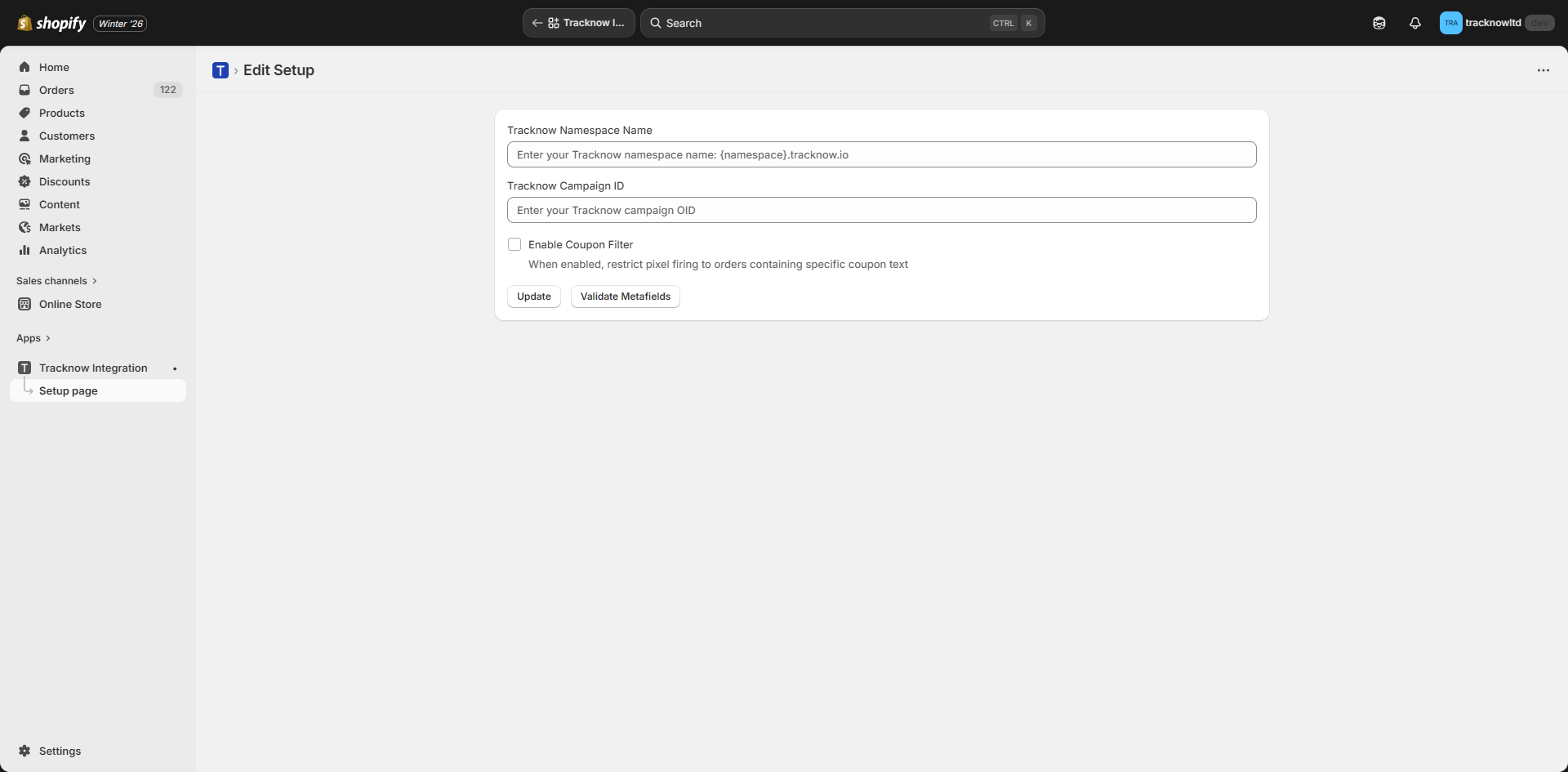
| Field | Description |
|---|---|
| Tracknow Namespace Name | Enter the Tracknow namespace to which data should be sent. This value is available in the Tracknow dashboard main menu. |
| Tracknow Campaign ID | Enter the Tracknow Camapign ID to which data should be sent |
| Enable Coupon Filter | Enter a value to limit tracking to orders that used a coupon code containing the specified string. Orders without a coupon code will still be tracked if the customer has a Tracknow referral identifier cookie. |
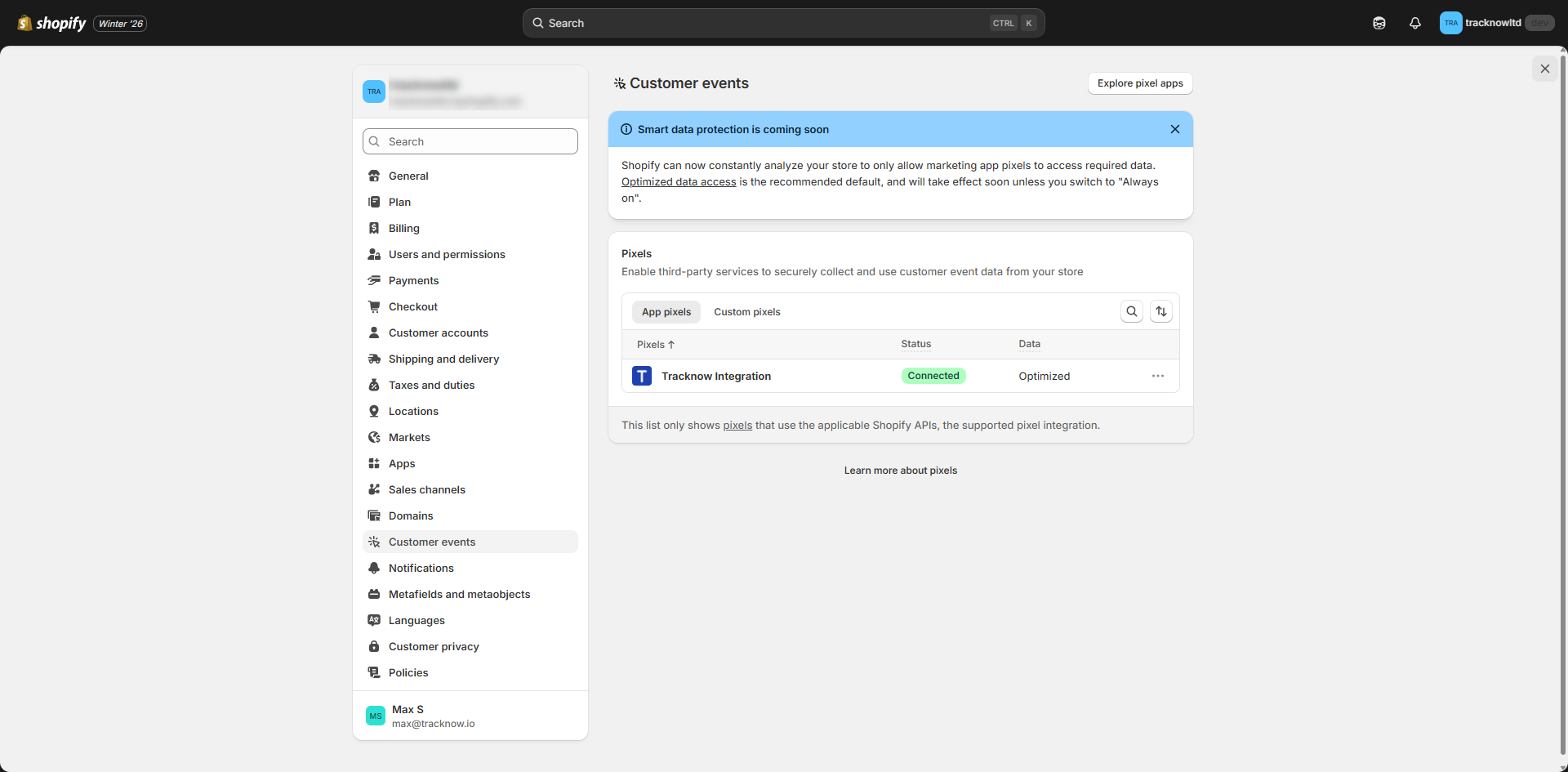
Navigate to Settings → Customer Events → Confirm that the plugin status is Connected
Webhook Integration
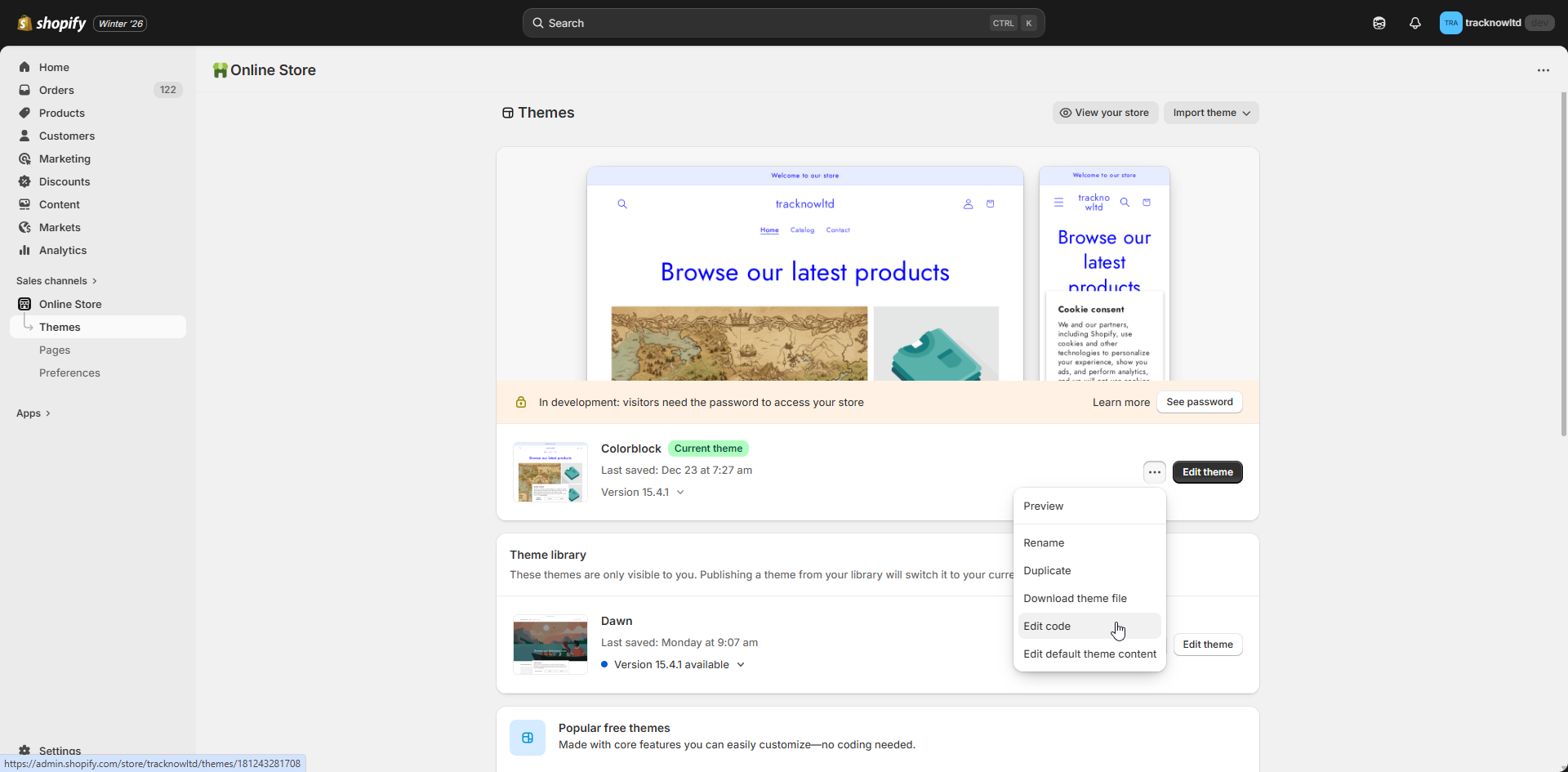
Login to the Shopify admin dashboard → Online Store → Themes → Three-dot icon next to your Current Theme → Edit Code
Expand the layout tab in the file explorer → Select the theme.liquid file
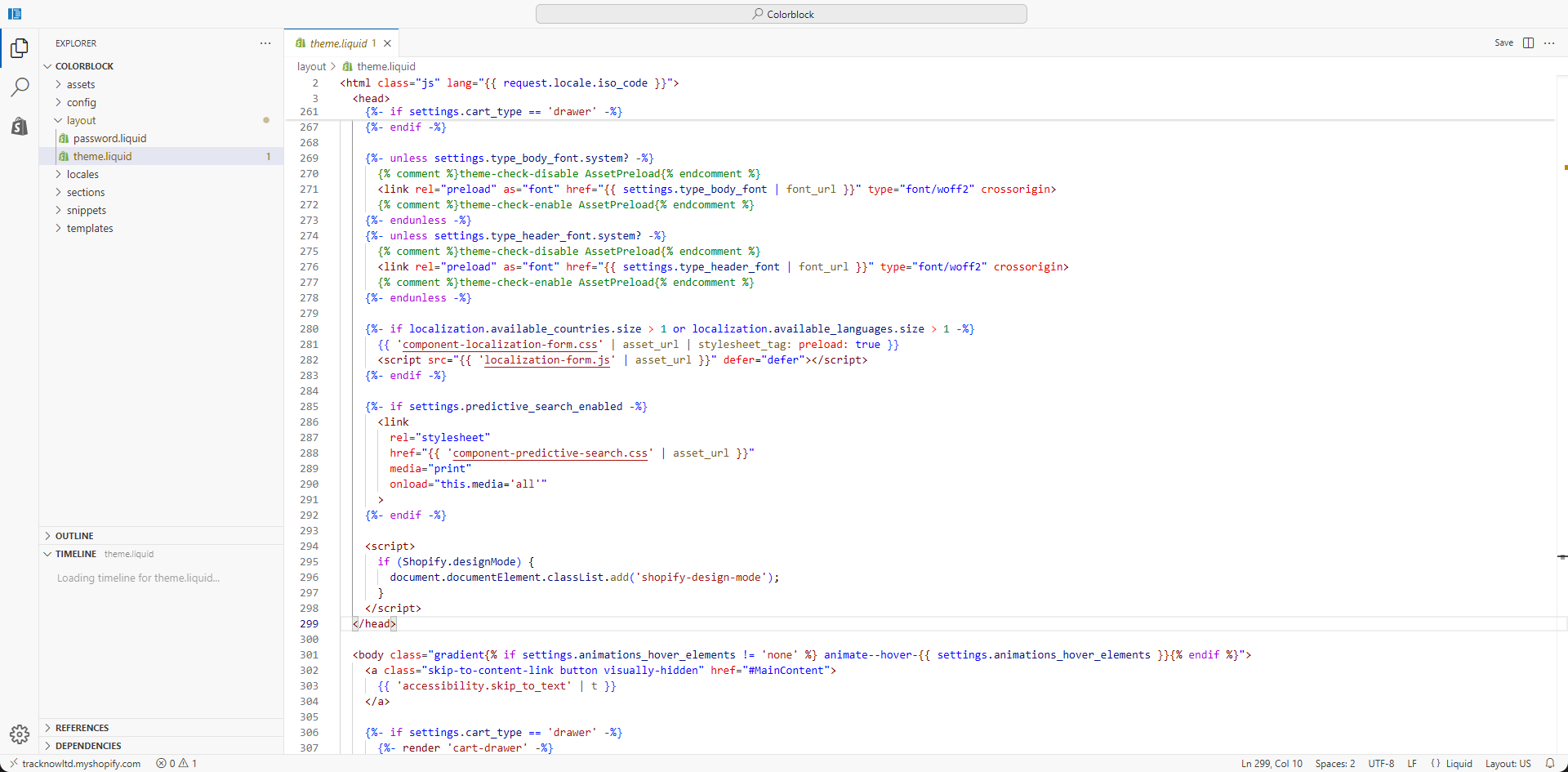
Locate the </head> section closing tag → Insert the following script into the <head> section of the page, immediately before the closing </head> tag → Save
<script>
  window.tracknow =
    window.tracknow ||
    function () {
      (window.tracknow.q = window.tracknow.q || []).push(arguments);
    };

  tracknow("config", {
    namespace: "{REPLACE WITH TRACKNOW NAMESAPCE}",
    shopify: true,
  });
</script>

<script async src="https://static.tracknow.io/js/tracking.min.js"></script>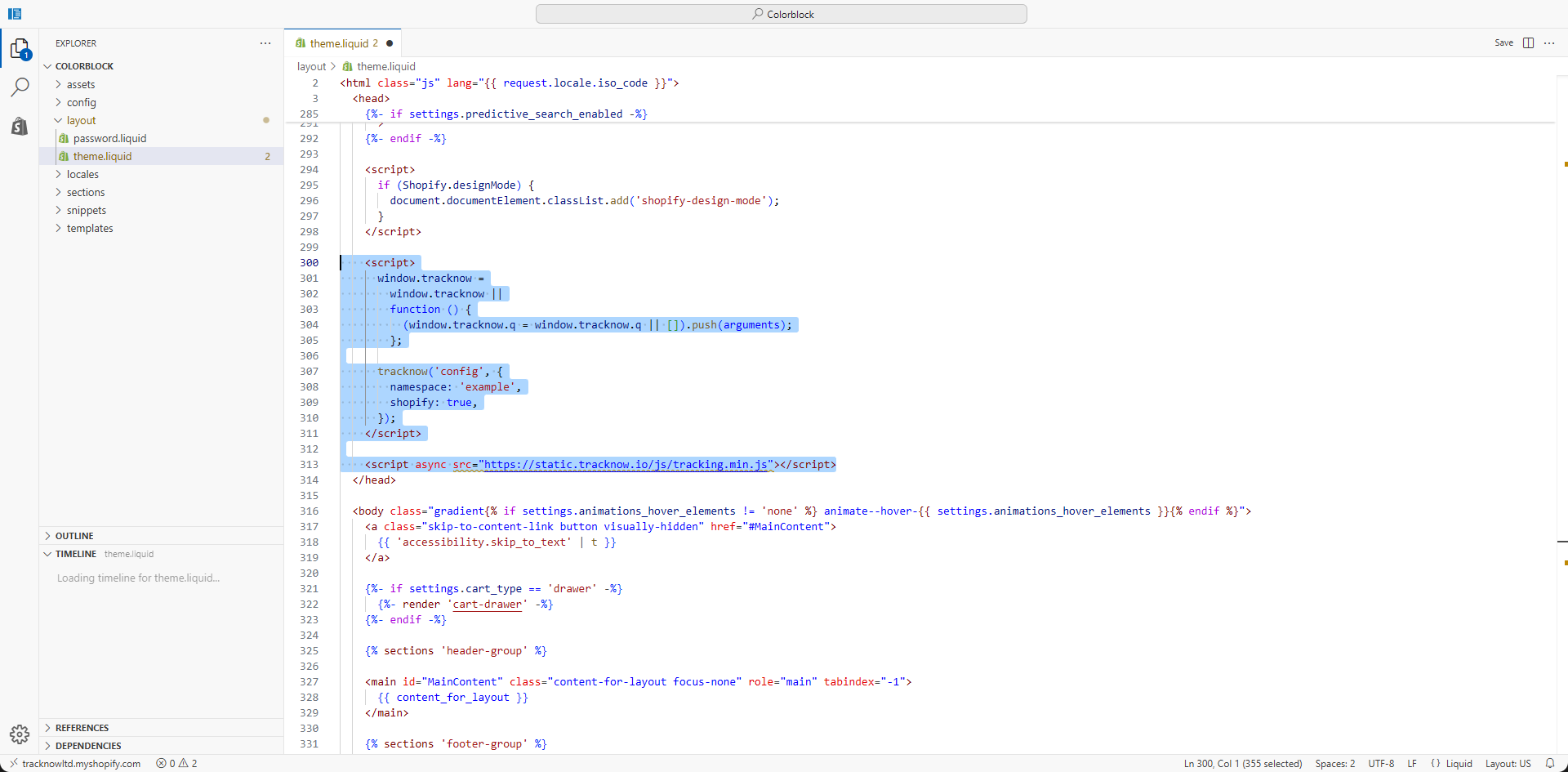
This script loads the Tracknow JavaScript library that handles storing the Tracknow referral identifier (click_id) in the customer’s browser.
Navigate to Settings → Notifications → Webhooks → Create Webhook
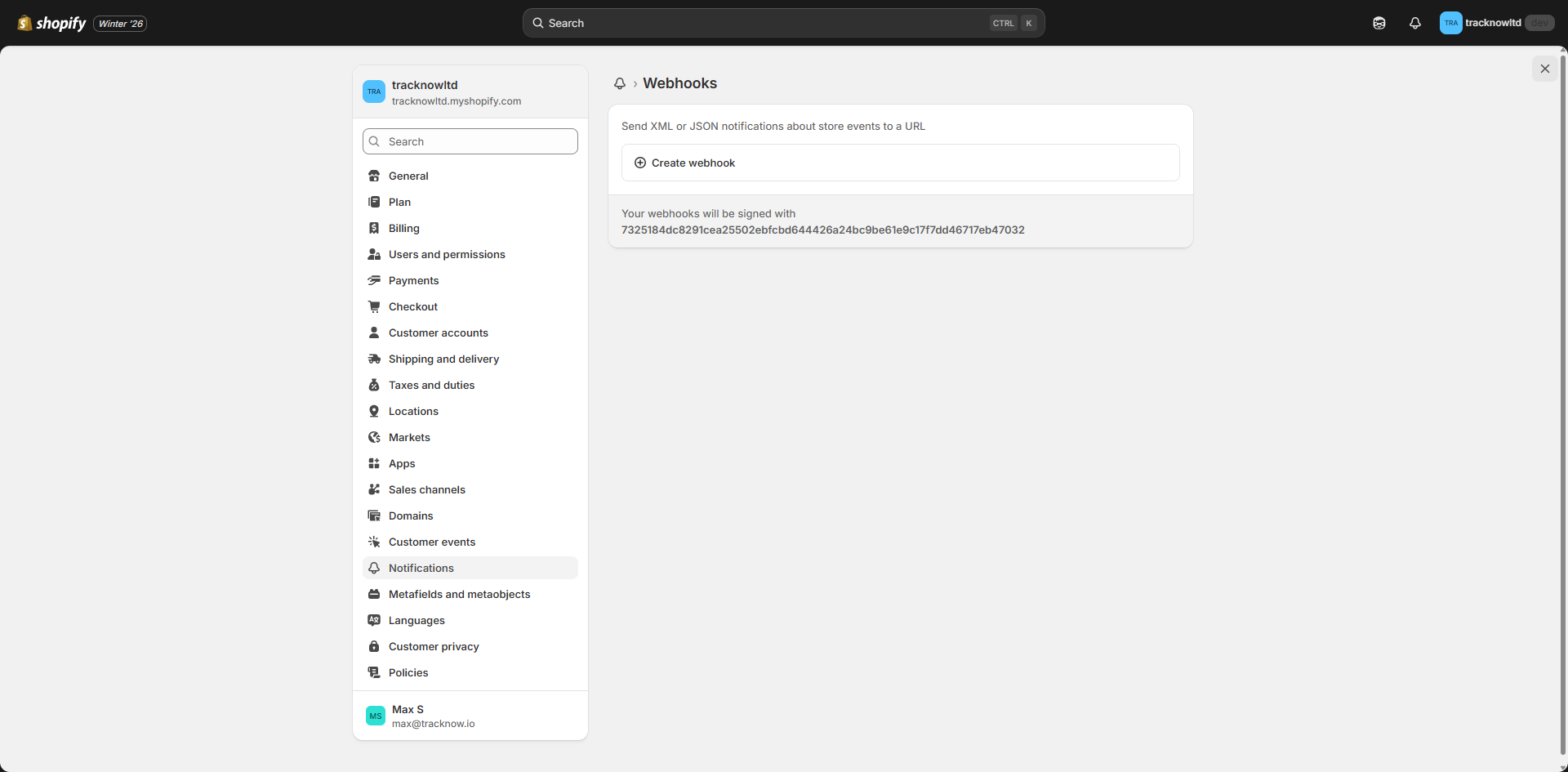
Configure the webhook using the following settings → Save
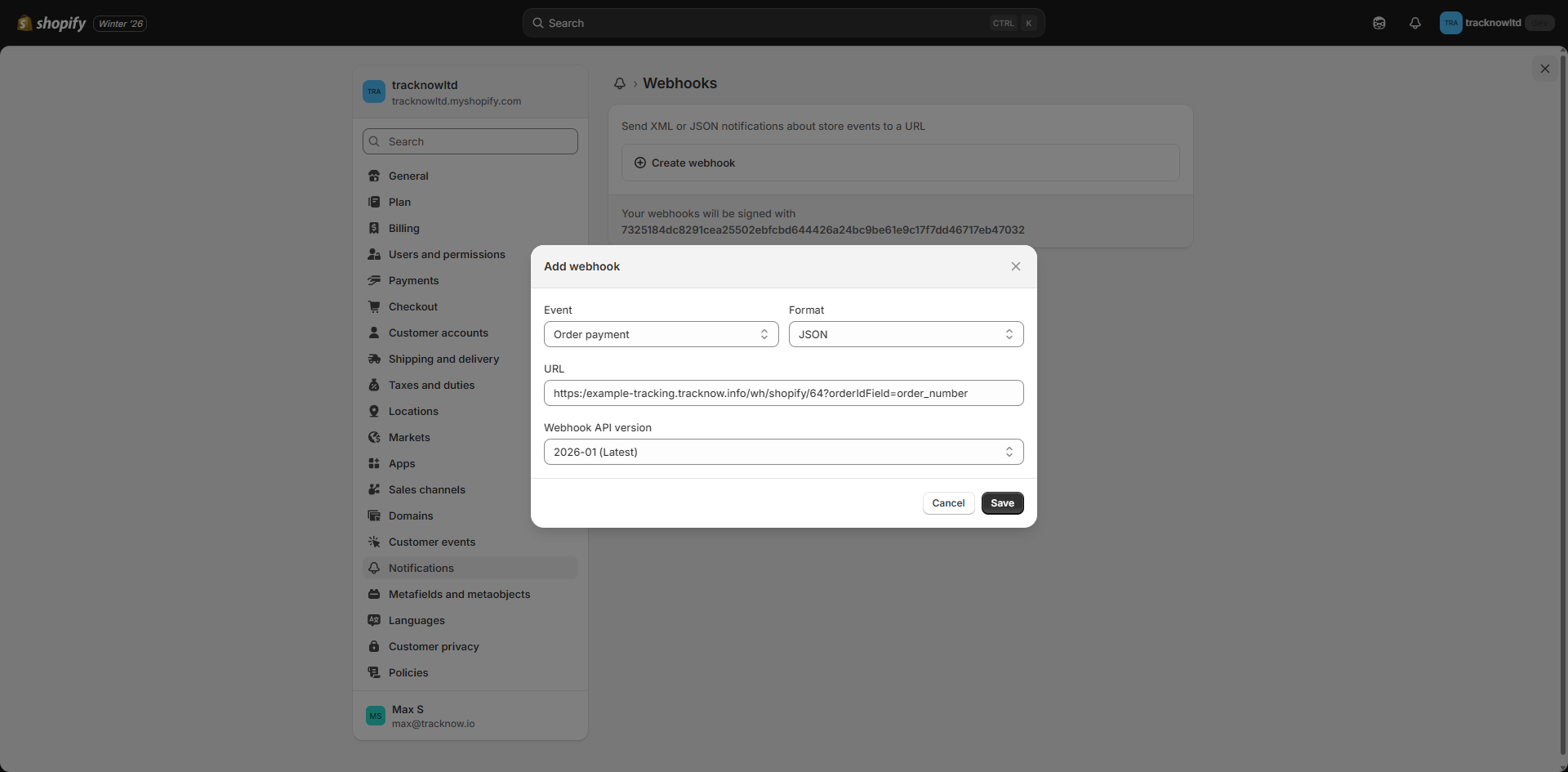
| Field | Value |
|---|---|
| Event | Order Payment |
| Format | JSON |
| URL | https:/{namespace}-tracking.tracknow.info/wh/shopify/{campaignId}?orderIdField=order_number |
| Webhook API version | 2026-01 |
Important Notes
- Ensure that the Shopify store does not use both integration methods simultaneously, as this may result in tracking issues and duplicate order events
- When switching between integration methods, fully disable the existing integration before enabling the new one